Inhaltsverzeichnis
Conseils pour le casque
Tu utilises en VRplugin-autotooltip__default plugin-autotooltip_bigVirtual reality (VR)
Virtual reality (VR) is a computer-generated, interactive environment in which a person can fully immerse themselves. With the help of special devices such as VR glasses, the real world is completely replaced by a simulated one. The user experiences a three-dimensional, artificial environment that can appeal to all the senses./MRplugin-autotooltip__default plugin-autotooltip_bigMixed Reality (MR)
Mixed reality, often referred to as mixed reality, is a technology that combines the physical world with computer-generated elements in real time. In contrast to pure virtual reality, in which the user is completely immersed in a digital world, and augmented reality, in which digital elements are superimposed on the real world, mixed reality enables interaction between real and virtual objects. As a rule, the user sees the real world, recorded by cameras, as an image of their… le Contrôleur standard ou sur le Mesure de l'espace le Contrôleur à stylet.
Dans VRplugin-autotooltip__default plugin-autotooltip_bigVirtual reality (VR)
Virtual reality (VR) is a computer-generated, interactive environment in which a person can fully immerse themselves. With the help of special devices such as VR glasses, the real world is completely replaced by a simulated one. The user experiences a three-dimensional, artificial environment that can appeal to all the senses./MRplugin-autotooltip__default plugin-autotooltip_bigMixed Reality (MR)
Mixed reality, often referred to as mixed reality, is a technology that combines the physical world with computer-generated elements in real time. In contrast to pure virtual reality, in which the user is completely immersed in a digital world, and augmented reality, in which digital elements are superimposed on the real world, mixed reality enables interaction between real and virtual objects. As a rule, the user sees the real world, recorded by cameras, as an image of their…, il y a les boutons les plus importants :
 Bouton Meta (bouton plat sur le contrôleur droit) : Quitter VRplugin-autotooltip__default plugin-autotooltip_bigVirtual reality (VR)
Virtual reality (VR) is a computer-generated, interactive environment in which a person can fully immerse themselves. With the help of special devices such as VR glasses, the real world is completely replaced by a simulated one. The user experiences a three-dimensional, artificial environment that can appeal to all the senses./ARplugin-autotooltip__default plugin-autotooltip_bigAugmented Reality (AR)
Augmented reality is a technology that integrates digital elements into the real world. The user's field of vision is overlaid with a digital layer that displays additional information or virtual objects. In contrast to virtual reality ( ou configurer le produit dans le navigateur et revenir en arrière.- Bouton de menu (bouton plat sur le contrôleur gauche) : Aide et options pour le configurateur.
- [A]-(en MRplugin-autotooltip__default plugin-autotooltip_bigMixed Reality (MR)
Mixed reality, often referred to as mixed reality, is a technology that combines the physical world with computer-generated elements in real time. In contrast to pure virtual reality, in which the user is completely immersed in a digital world, and augmented reality, in which digital elements are superimposed on the real world, mixed reality enables interaction between real and virtual objects. As a rule, the user sees the real world, recorded by cameras, as an image of their…) : la touche A (contrôleur droit) pour activer le contrôle des objets : en appuyant brièvement, tu passes à- Croix de position (sélectionner l'axe en le montrant, les axes jaunes peuvent être déplacés)
- symbole de rotation
- Contrôle d'objet désactivé

Diffuser sur un ordinateur
Pour ce faire, sélectionne 'Streaming' via l'icône de la caméra dans l'oreillette, puis 'Ordinateur'. Sur l'ordinateur, va à cette URL : https://www.oculus.com/casting
Afficher les images/vidéos de l'oreillette
Tu peux afficher et télécharger tes images et vidéos de l'oreillette sur ton ordinateur via cette URL : https://www.meta.com/gallery/quest/
Configurer la limite
Pour les expériences VRplugin-autotooltip__default plugin-autotooltip_bigVirtual reality (VR)
Virtual reality (VR) is a computer-generated, interactive environment in which a person can fully immerse themselves. With the help of special devices such as VR glasses, the real world is completely replaced by a simulated one. The user experiences a three-dimensional, artificial environment that can appeal to all the senses., tu as besoin d'installer et d'utiliser des limites. Elle te permet d'éviter de te blesser en marchant par exemple contre un mur. En effet, en mode VRplugin-autotooltip__default plugin-autotooltip_bigVirtual reality (VR)
Virtual reality (VR) is a computer-generated, interactive environment in which a person can fully immerse themselves. With the help of special devices such as VR glasses, the real world is completely replaced by a simulated one. The user experiences a three-dimensional, artificial environment that can appeal to all the senses., tu ne peux pas voir l'environnement réel. Juste avant de quitter la limite, tu vois apparaître une sorte de cage virtuelle qui marque la limite.
Pour les expériences MRplugin-autotooltip__default plugin-autotooltip_bigMixed Reality (MR)
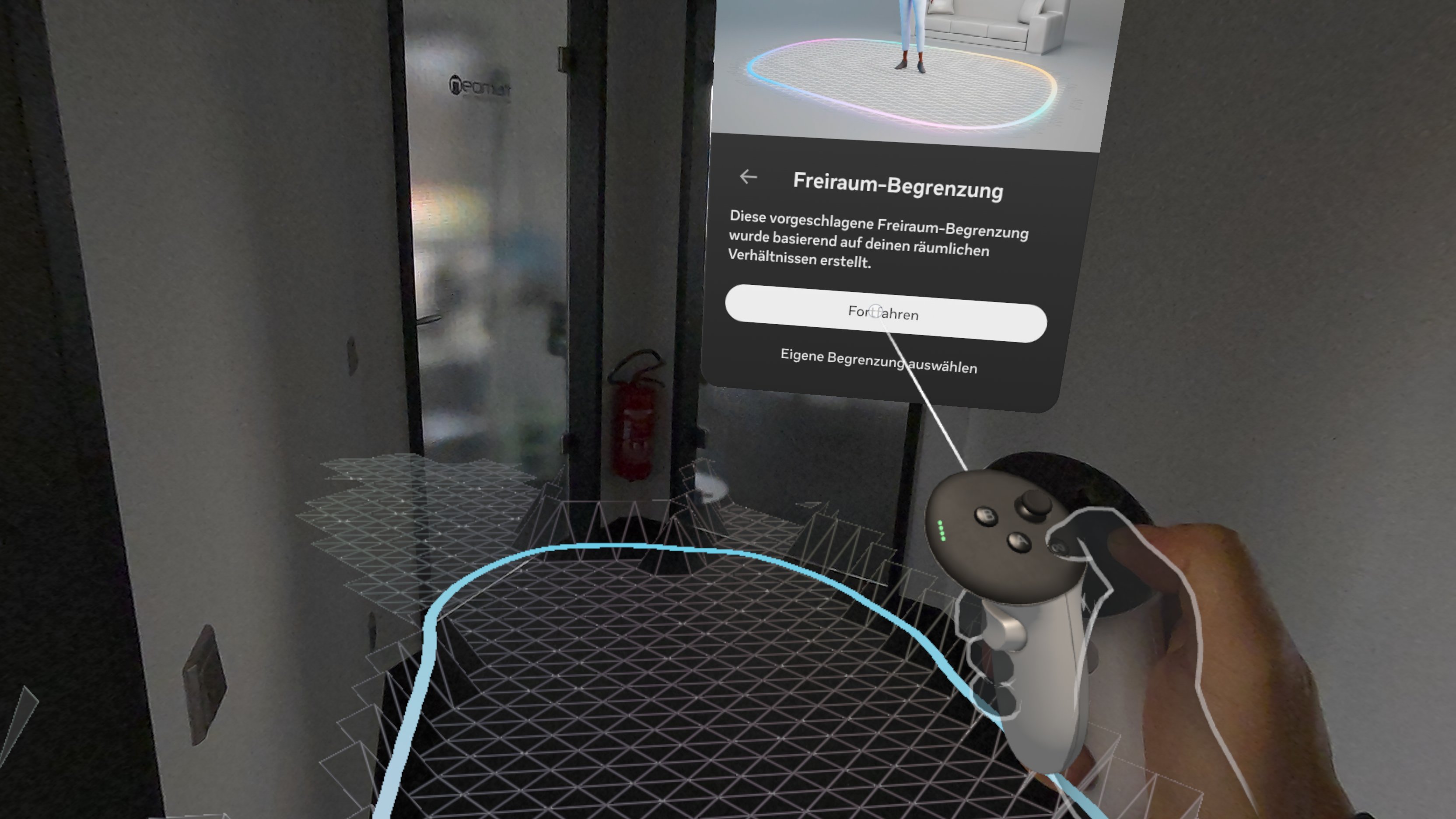
Mixed reality, often referred to as mixed reality, is a technology that combines the physical world with computer-generated elements in real time. In contrast to pure virtual reality, in which the user is completely immersed in a digital world, and augmented reality, in which digital elements are superimposed on the real world, mixed reality enables interaction between real and virtual objects. As a rule, the user sees the real world, recorded by cameras, as an image of their…, une limite ne doit être créée qu'une seule fois au point de départ (à partir de la v74, voir ci-dessous). Cela permet aux lunettes de déterminer le niveau du sol. Ensuite, la limite n'est plus affichée, car tu peux voir ton environnement. Tu peux te déplacer en dehors de la zone que tu as initialement définie. Si tu commences à un autre endroit, il te sera à nouveau demandé de configurer la limite.
Comme la taille de la limite est moins importante, tu peux aussi la faire créer par la détection automatique. Cela ressemble alors à ceci :
Vérifier la version du logiciel
Voici comment vérifier la version du logiciel du Meta Quest Headset.
Le logiciel du casque n'est pas mis à jour au même moment pour tous les utilisateurs. Cela permet d'éviter qu'un problème ne touche tous les clients en même temps. Il peut ainsi arriver que deux casques affichent une version actuelle, mais soient sur des versions différentes.
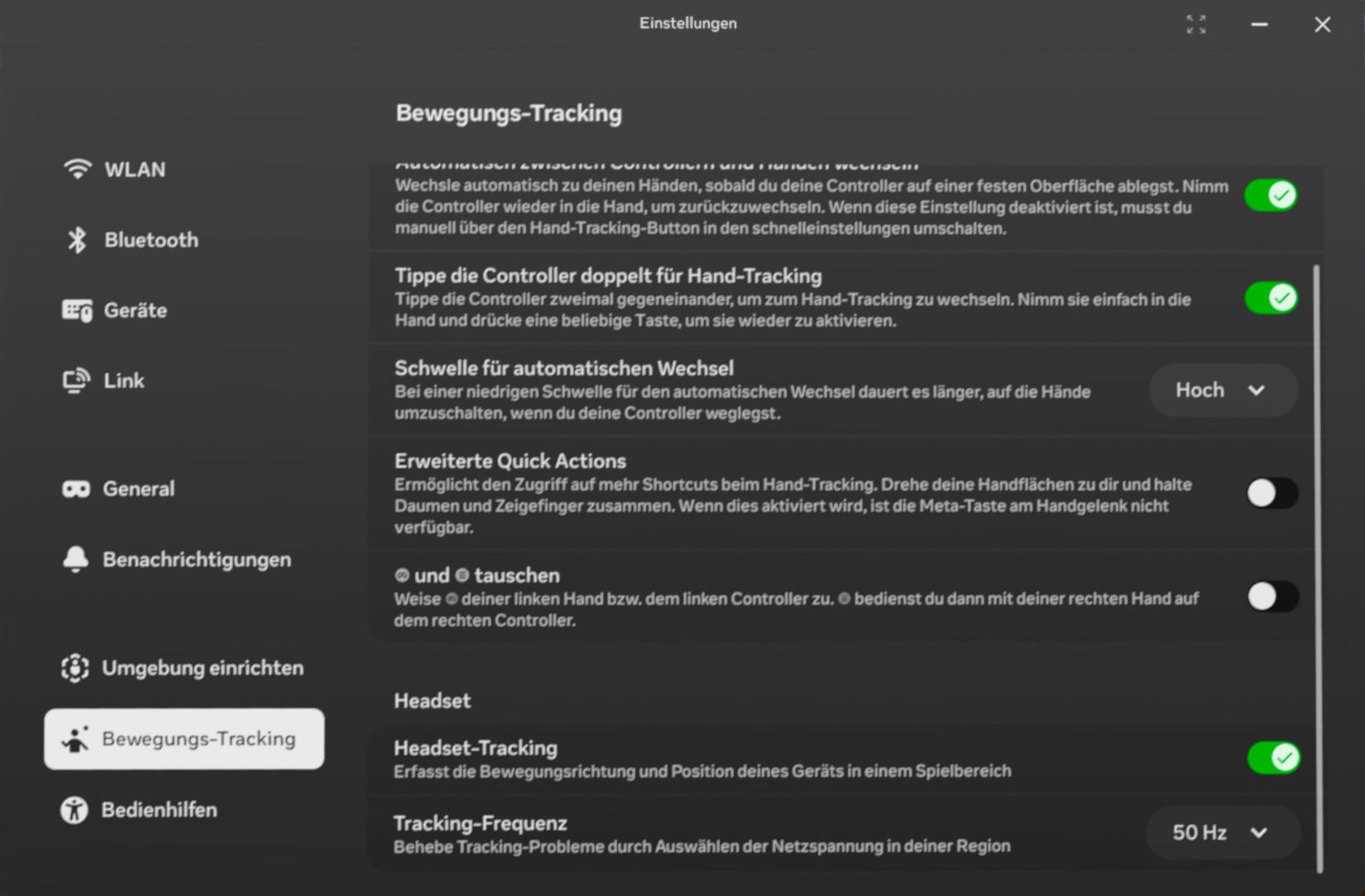
Réglage de la fréquence de suivi
Dans les paramètres sous 'Suivi des mouvements', le point 'Fréquence de suivi' permet de régler le taux de répétition pour le suivi. Une valeur fixe de 50Hz assure une fixation stable des objets en mode réalité mixte.