Inhaltsverzeichnis

Laser measuring device
In order to Room measurement you can use a laser measuring device. The laser measuring device should have a Bluetooth interface so that the data is automatically reported to the software and you do not have to transfer it manually.
Supported devices
The following laser measuring devices are supported:
Your device is not supported? Let us know which Bluetooth-enabled device you are using at support@vrdoro.com and we will support it as quickly as possible.
Min/max measurement
The min/max measurement allows precise measurement of the distance to inner or outer edges.
Min/max measurement for Bosch appliances
With Bosch appliances, the min/max. measurement is switched on switched on at the appliance.
Min/max. measurement with Leica devices
With Leica devices, the min. is switched on at the pen controller. To do this, press and hold the action button (> 1s) to trigger a continuous measurement.
Measuring tips
Measuring tips allow you to measure from the corner of a room.
Measuring tip for the Bosch GLM 50-27 C(G)
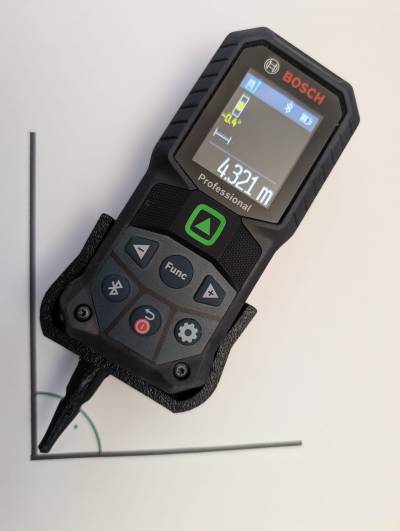
When measuring diagonals in a room, you must position the measuring device in the corner according to the rules. At an angle of 90°, for example, it is not possible to reach the angle with the measuring base due to the size of the devices. We have developed the vrdoro measuring tip to solve this problem. When using the tip, you activate the Measure with the measuring tip via this menu item:  .
.
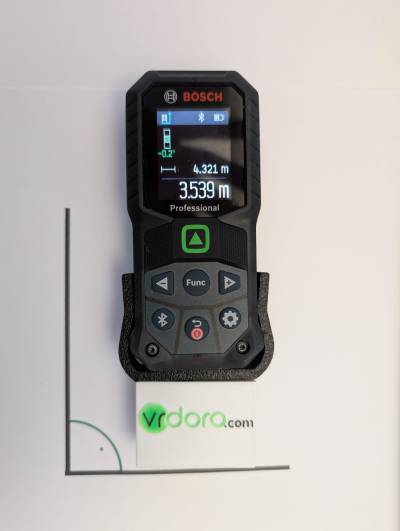
The measuring tip is attached to the device and remains remains there. You no longer need to remove it. The vrdoro measuring tool automatically adds the tip length of 40 mm to the measurement. If you want to use a straight measuring base or want to secure the tip in your tool bag during transport, you can use the measuring cap on the tip.
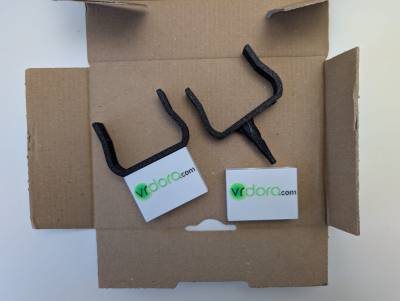
You will receive the measuring tip worth 19.90 euros free of charge when you purchase an annual licence for the Professional or Premium package (see Lizenzpreise) will be sent to you free of charge as a welcome gift.
Measuring tip for the Bosch UniversalDistance 40C
No measuring tip is available for this device.
Measuring tip for the Leica Disto D1
No measuring tip is available for this device.
Measuring tip for the Leia Disto D2
This device has an integrated measuring tip.