Visualiser projects
After logging in under https://vrdoro.com/editor/ you will see the menu item Visualiser menu item in the left-hand menu bar. The prerequisite is that you have a valid vrdoro-visualizer licence.
You can call up your projects there.
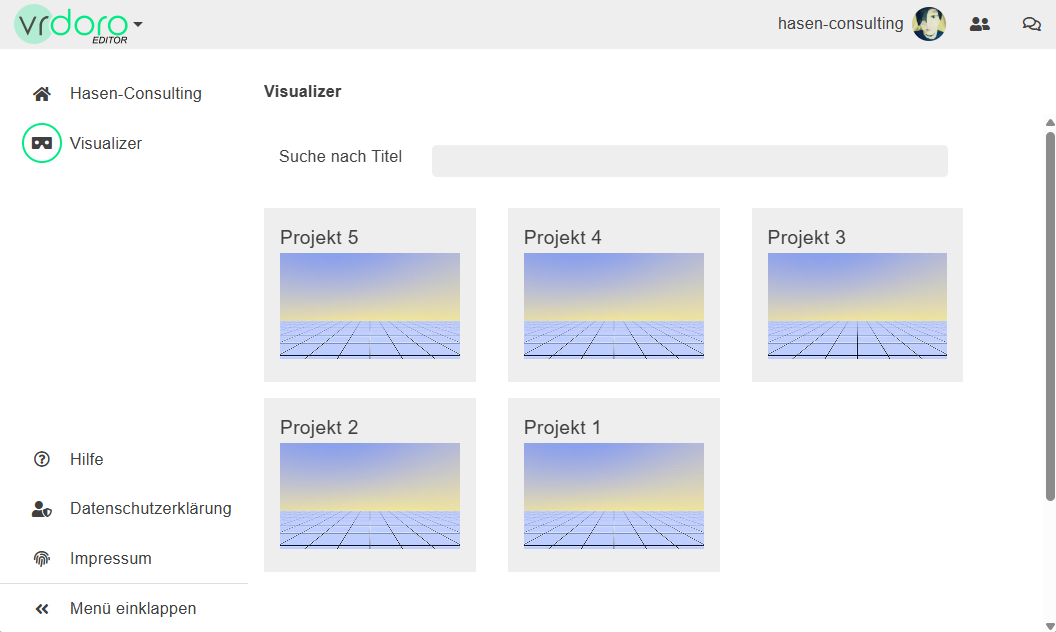
In this project list, click on one of the images under the project name to go to this project.
Your Visualiser project
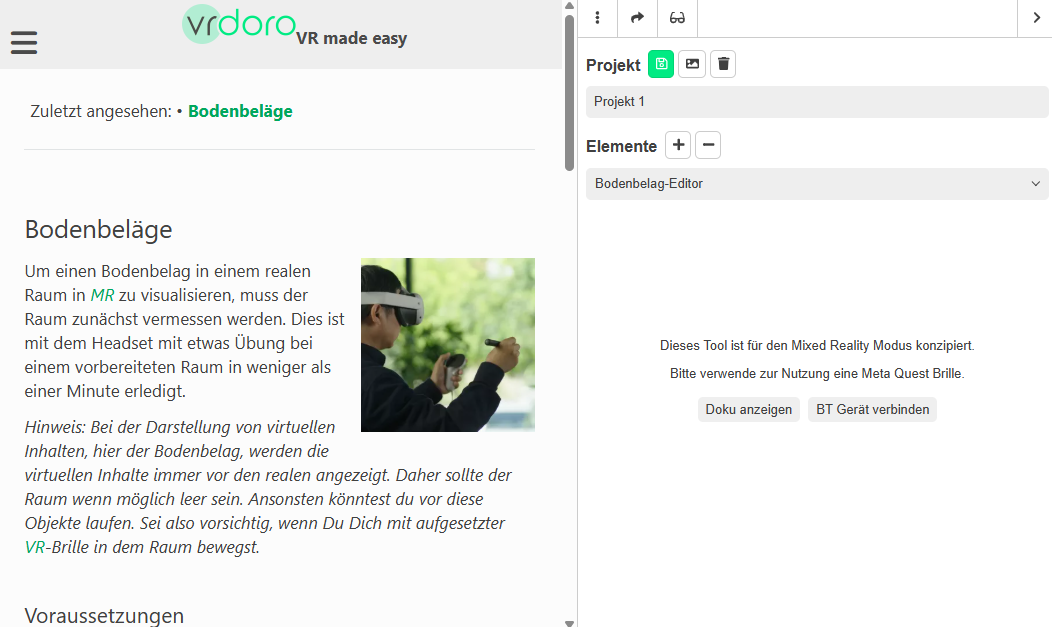
In the view of a single project you will see
- In the centre: the main view for the tool or the documentation
- On the right: the sidebar with the icon bar at the top
The main view
The documentation for the activated tool is displayed in the centre to get you started. If you have already used the tool in VRplugin-autotooltip__default plugin-autotooltip_bigVirtual-Reality (VR)
Virtual Reality (VR), zu Deutsch virtuelle Realität, ist eine computergenerierte, interaktive Umgebung, in die eine Person vollständig eintauchen kann. Mithilfe spezieller Geräte wie VR-Brillen wird die reale Welt vollständig durch eine simulierte ersetzt. Der Nutzer erlebt eine dreidimensionale, künstliche Umgebung, die alle Sinne ansprechen kann. or MRplugin-autotooltip__default plugin-autotooltip_bigMixed Reality (MR)
Mixed Reality, ist eine Technologie, die die physische Welt mit computergenerierten Elementen in Echtzeit verbindet. Im Gegensatz zur reinen Virtual Reality, bei der der Nutzer vollständig in eine digitale Welt eintaucht, und Augmented Reality, bei der digitale Elemente über die reale Welt gelegt werden, ermöglicht Mixed Reality eine Interaktion zwischen realen und virtuellen Objekten. In der Regel sieht der Nutzer die reale Welt, durch Kameras aufgenommen, als Abbild seiner … mode and data has been created, you can switch to the results view via a button in the right-hand sidebar. In the flooring editor, for example, you will see the button Show measurementbutton as soon as you have created measurement data for a room.
The right sidebar
The right-hand sidebar lets you switch between the documentation and the results view for the tool.
At the top of the Project you can change the project name and you can see the available tools and options in the elements-list.
The sidebar has icons for important functions at the top. These are …
Share configuration via URL
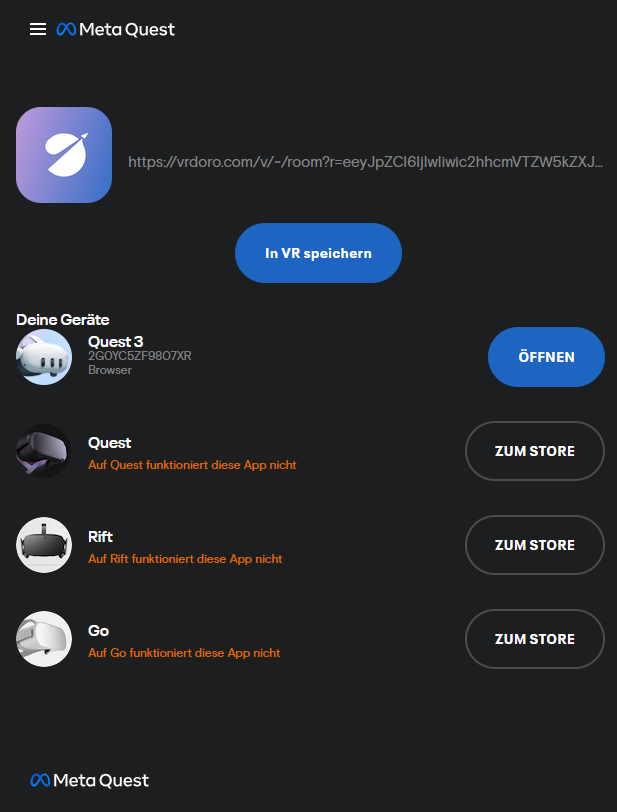
The share function displays a pop-up window with all the options for sharing the project. The most important of these is Sending the URL to a headset.
Sending the URL to a headset
About sharing with 
Meta Web-Launch the project page can be transferred to the glasses. After selecting Web-Launch a Meta page opens in a new browser tab. Here you need to log in with the Meta account that is used for the Meta app and glasses. In the window you will see your available devices and by opening next to the corresponding device you can open the configurator view directly in the headset.
VR view
 Depending on the device and situation, this icon enables the product to be viewed in mixed reality (MRplugin-autotooltip__default plugin-autotooltip_bigMixed Reality (MR)
Mixed Reality, ist eine Technologie, die die physische Welt mit computergenerierten Elementen in Echtzeit verbindet. Im Gegensatz zur reinen Virtual Reality, bei der der Nutzer vollständig in eine digitale Welt eintaucht, und Augmented Reality, bei der digitale Elemente über die reale Welt gelegt werden, ermöglicht Mixed Reality eine Interaktion zwischen realen und virtuellen Objekten. In der Regel sieht der Nutzer die reale Welt, durch Kameras aufgenommen, als Abbild seiner …) or virtual reality (VRplugin-autotooltip__default plugin-autotooltip_bigVirtual-Reality (VR)
Virtual Reality (VR), zu Deutsch virtuelle Realität, ist eine computergenerierte, interaktive Umgebung, in die eine Person vollständig eintauchen kann. Mithilfe spezieller Geräte wie VR-Brillen wird die reale Welt vollständig durch eine simulierte ersetzt. Der Nutzer erlebt eine dreidimensionale, künstliche Umgebung, die alle Sinne ansprechen kann.).
Other icons in the menu bar
Depending on the tool and device, further options may be available in the menu bar on the right-hand side of the page. Look here to see them all: Menu bar.