
Help display
There is this VRplugin-autotooltip__default plugin-autotooltip_bigVirtual reality (VR)
Virtual reality (VR) is a computer-generated, interactive environment in which a person can fully immerse themselves. With the help of special devices such as VR glasses, the real world is completely replaced by a simulated one. The user experiences a three-dimensional, artificial environment that can appeal to all the senses. help (menu icon:  ), which serves as an introduction to the most important topics. You open and close this help via the front button on the Pen controller.
Another context-sensitive help (menu icon:  ) shows you information depending on the situation you are currently in. These notes open automatically. You can also control this help via the front button on the Pen controller.
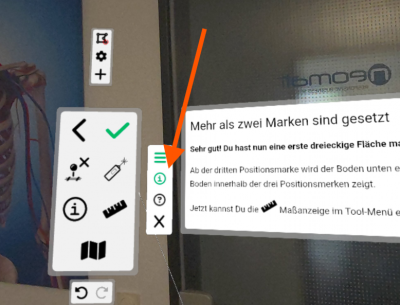
You can also close the help and menu area again by
- deactivating the question mark icon to the left of the page or
- completely closing the help and menu via the X or
- pressing the front button on the Pen controller or the menu button on the Standard controller press
Try it out now: Close this help page!