This is an old revision of the document!
Data export
The data export saves data from the browser to your download folder. You should therefore export the project data once via the green icon 
Save icon into the project. You can then update the project on your computer and export the data there.
Table of Contents
Contents
Before exporting, you can specify which data you want to export.
Hide per wall
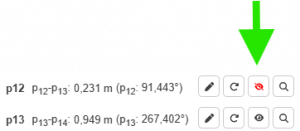
If a model is to be exported without specific dimensions, this can be controlled using the buttons (eye symbols per wall in the results view) to show or hide.
Hide all dimensions
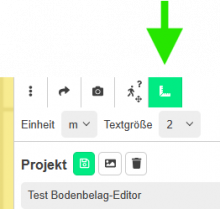
If a floor is to be saved as a model completely without dimensions, the display can be controlled via Show dimensions in the menu bar. If no dimensions are displayed, they will not be exported.
Data formats
Data can be exported in the following formats for most tools.
An export is possible as soon as an SVG representation has been displayed. To do this, clickplugin-autotooltip__default plugin-autotooltip_bigClick
Depending on the device, clicking is the user's action to select an element. On devices with a mouse, this means pointing at the element and pressing the left mouse button. For devices with a touchscreen, it is touching or touching and holding (iOS: long touch). In the on Show SVG above the results view in the sidebar. Clickplugin-autotooltip__default plugin-autotooltip_bigClick
Depending on the device, clicking is the user's action to select an element. On devices with a mouse, this means pointing at the element and pressing the left mouse button. For devices with a touchscreen, it is touching or touching and holding (iOS: long touch). In the on the button Export as PDF a PDF file is then created and saved as a download from your browser. The floor geometry is exported with all displayed dimensions.
Excel
The Excel export is available via the button Export data button under the results view. It includes the data of the individual sections (walls). Each wall has a corner point (the first point measured for this wall).
This data is displayed:
- Number of measuring points
- Area of the floor or ceiling
The following data is displayed for each wall (section):
- Name of the wall
- Length (in the selected unit of measurement)
- Corner point (first measuring point of the wall measured in the direction of measurement)
- Angle (in degrees)
The measuring direction corresponds to setting the measuring point clockwise or anti-clockwise.
Model formats
The model can be exported using the Export model button. The models are exported without dimensions. However, their size naturally corresponds to the real dimensions.
GLTF
GLTFplugin-autotooltip__default plugin-autotooltip_bigglTF
glTF ist eine lizenzgebührenfreie Spezifikation für die effiziente Übertragung und das Laden von 3D-Szenen und -Modellen durch Engines und Anwendungen. Siehe
STL
The STL format describes the surface of 3D objects using triangular facets (tessellation = “parquetisation”). Each triangular facet is characterised by the three corner points and the corresponding surface normal of the triangle. Wikipedia, August 2025
With this format, you can choose between an export in ASCII or binary coding, as various programmes only support one of these types.
DXF
The DXF format (Drawing Exchange Format) is an open vector format developed by Autodesk that serves as a standard for data exchange between different CAD programmes. It enables the smooth transfer of 2D and 3D drawings, as it is supported by almost all CAD and CNC applications, and is often the lowest common denominator for data exchange.